
Check out the Verified Sailor Quick Start Guide for a video-based guide to creating your account and making your first logbook entry.
Below is a video overview of how to create your Verified Sailor account.
Always check that automated emails are coming from info@charterrode.com. Do not reply to or click on any links in emails without this address to complete your account setup.
What you'll need
- Be at least 18 years old (we’ll ask for proof).
- A government-issued photo ID (we don’t accept passport cards).
- A computer, tablet, or smartphone connected to the internet.
- The latest version of your browser.
1. Create your account
Go to https://www.charterrode.com from a browser on your computer to get started.
- Click or tap Create Account.
- Enter an email address (use one that you have access to).
- Enter a password (write this down and store in a secure place).
- Click or tap Create Account
- Open your email and find the email from info@charterrode.com that contains your verification code.
- Copy the verification code into your browser and click Verify Code.
2. Complete Your Profile
Once you complete your email verification and create your account above, you will automatically be signed in to Verified Sailor to complete the three steps to finish your account setup:
- Create Profile - enter your first name, last name, phone number, and address information. In the next step we will ask for a government photo ID, ideally your address info matches. Click or tap Create Profile to continue.
- Identity Verification - upload photos (front and back) of your government issued ID. Click or tap here to find out why Verified Sailor validates all identities. Agree to the disclaimer about providing accurate information and click or tap Submit My Identity Validation Request to continue.
- Add Funds to Your Wallet - identity verification is free, so this step is optional. You only need CRT in your wallet if you want a crewmate or Verified Sailor to verify an entry. Choose a funding amount and you will be prompted for your credit card information for immediate funding.
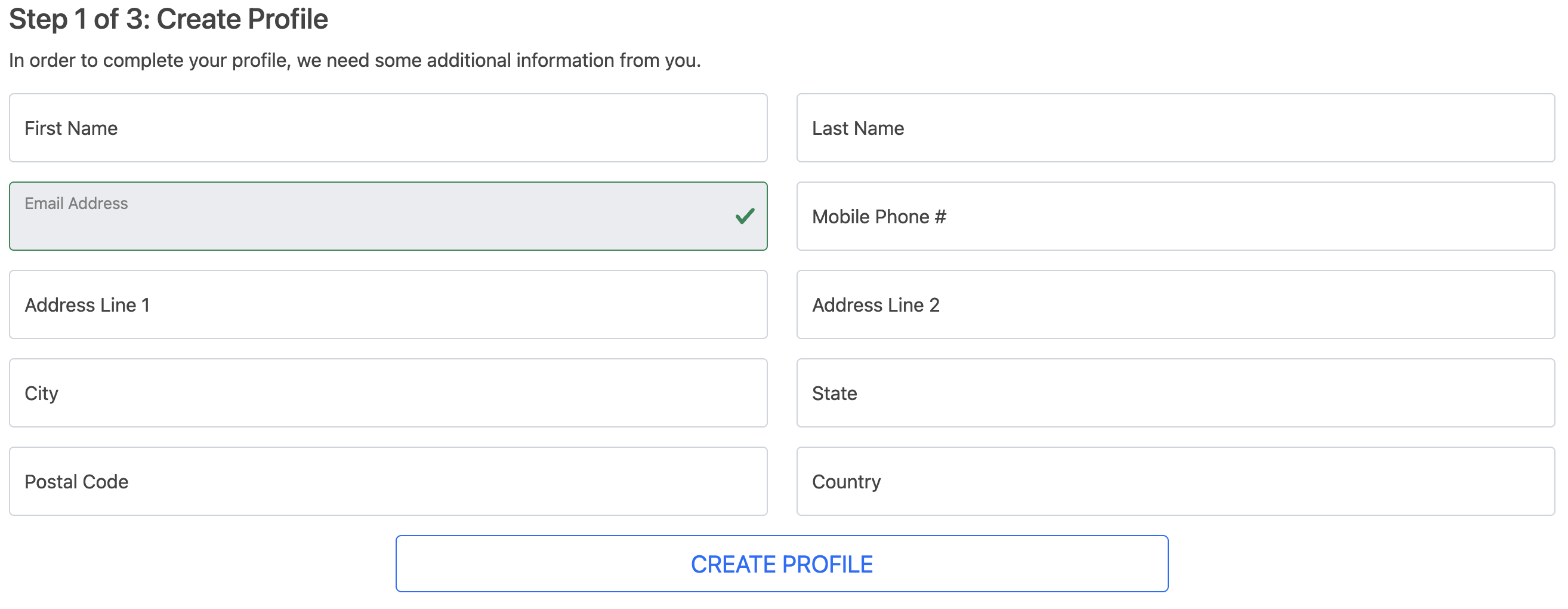
Step 1 of 3 - Create Profile
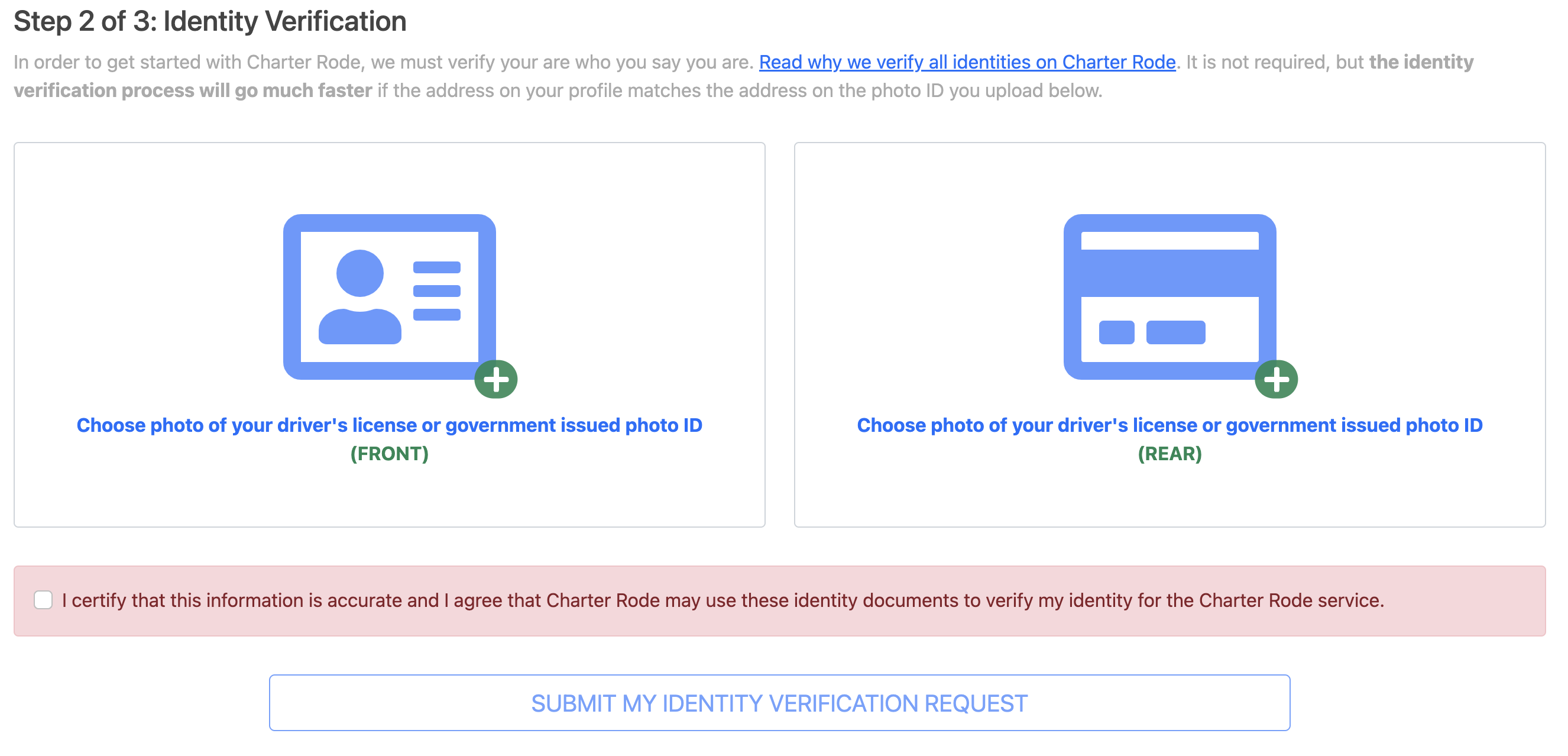
Step 2 of 3 - Identity Verification
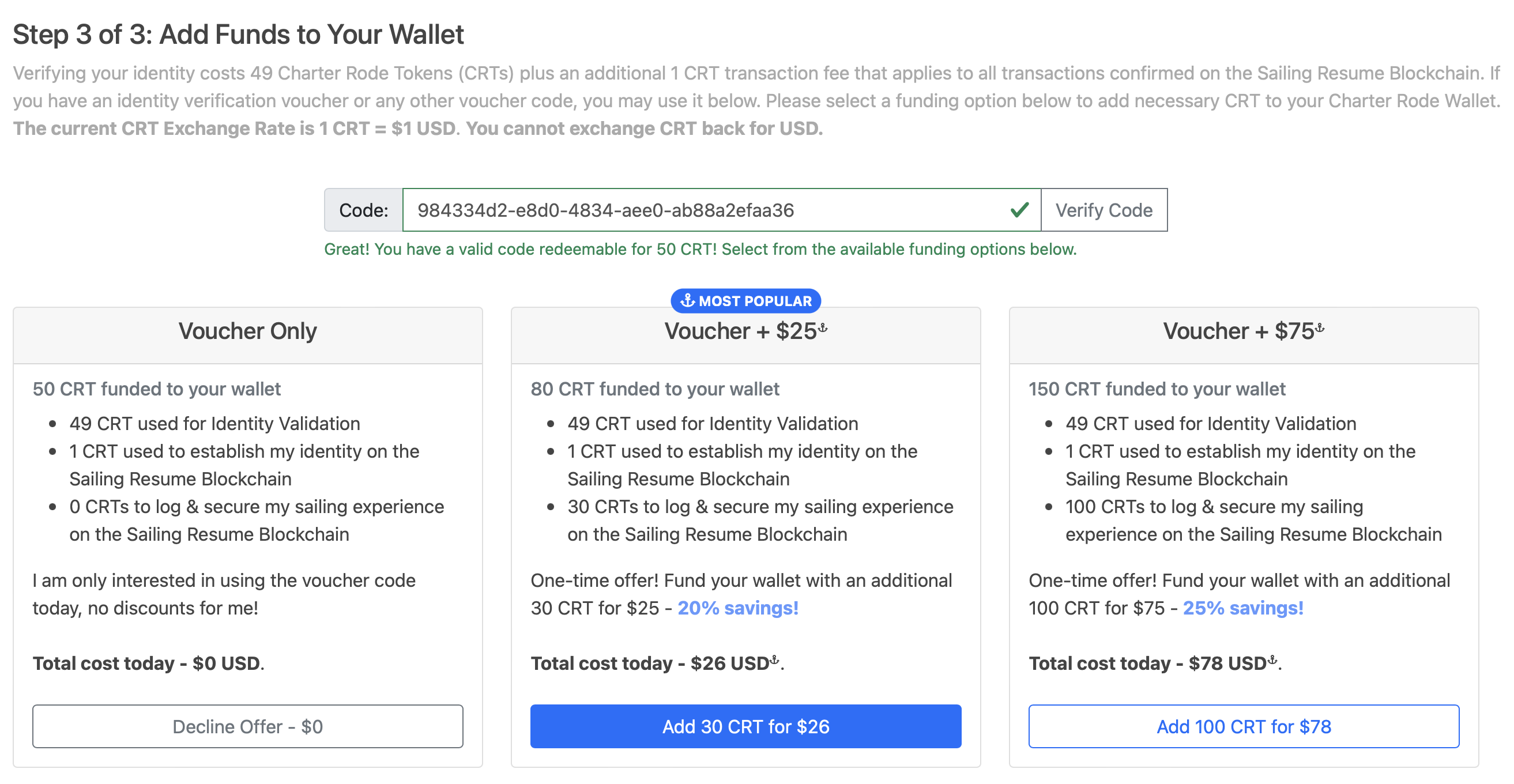
Step 3 of 3 - Add Funds to Your Wallet
Once you complete Step 3: Add Funds to Your Wallet and your payment is processed, your Verified Sailor account is all setup. You will need to wait 24 - 48 hours for Verified Sailor to verify your identity before your account will be fully unlocked and usable. You will receive an email once your identity verification is complete from info@charterrode.com.
Until your identity is validated, you are only able to view your Verified Sailor Wallet