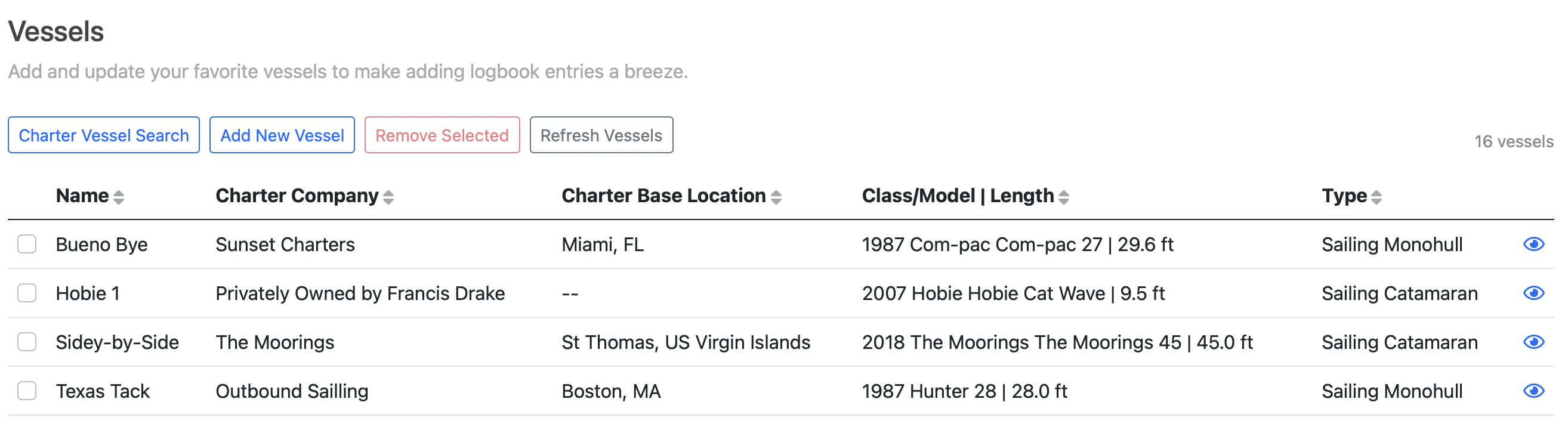
In order to create a logbook entry by Logging a Trip, you have to create at least one vessel first. This section allows you to search for Charter Vessels that other users may have already entered, as well as add vessels that you log your experience aboard.
Below is a video overview of how to add vessels to use with your Verified Sailor account.
You may also choose to add a vessel while logging a trip by selecting the 'Add New Vessel' in the Vessel drop-down on the Logging a Trip Screen. You may also search for Charter Vessels by selecting 'Charter Vessel Search' in the Vessel drop-down on the Logging a Trip Screen.
Why Can't I Edit A Vessel?
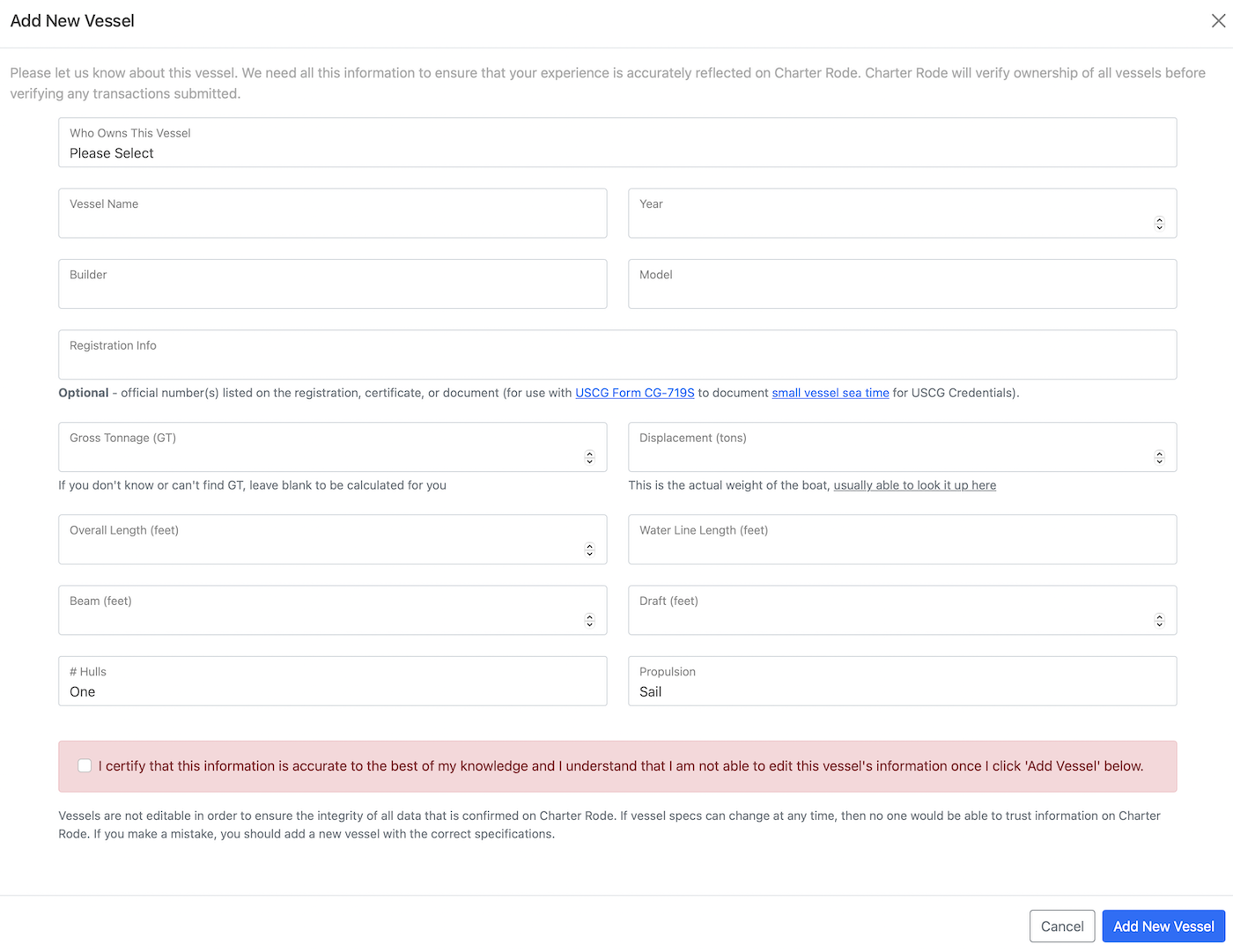
Vessels are not editable in order to ensure the integrity of all data that is logged on the Sailing Resume Blockchain. If vessel specs can change at any time, then no one would be able to trust information in your Sailing Resume. If you make a mistake, you should add a new vessel with the correct specifications.
View Favorite Vessels
- Navigate to the Manage Vessels Screen (Logbook->Vessels or Manage Vessels on Home Screen).
- Use the eyeball icon () to view the details of a vessel.
- To remove a vessel from the favorite list, tap the checkbox next to the vessel and then the 'Remove Selected' button at the top of the table.
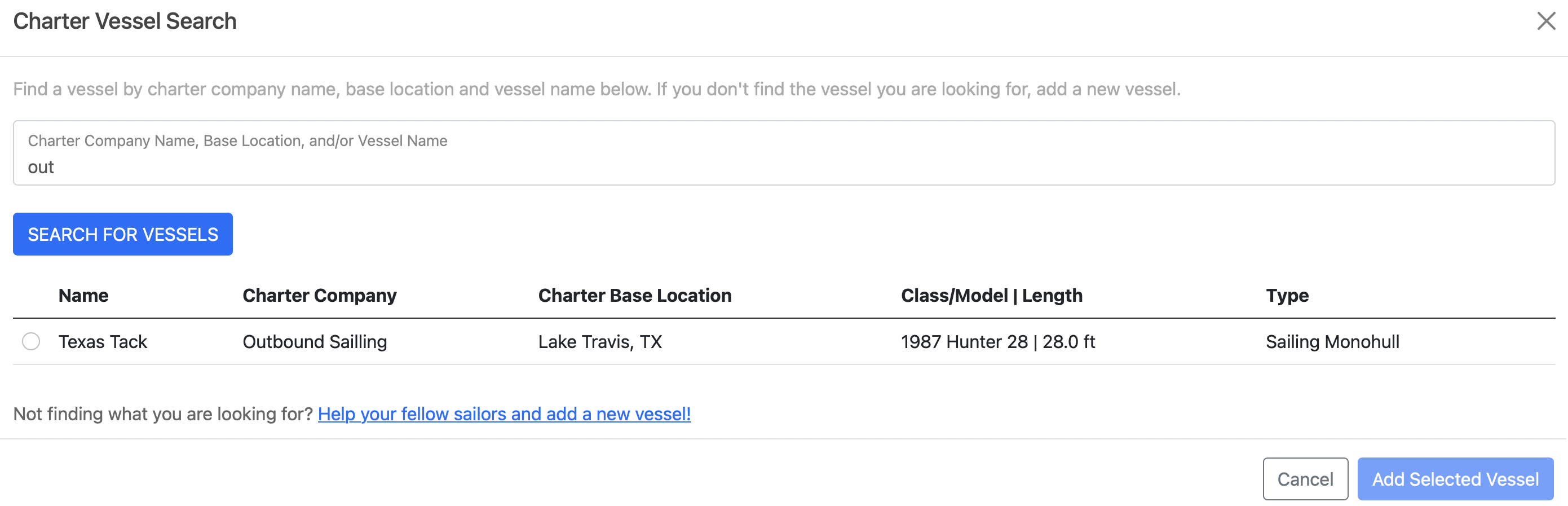
Charter Vessel Search
- Navigate to the Manage Vessels Screen (Logbook->Vessels or Manage Vessels on Home Screen).
- Tap the 'Charter Vessel Search' button on the top of the table.
- Enter search criteria and tap the 'Search For Vessels' button.
- Select a matching vessel and tap the 'Add Selected Vessel' button on the bottom-right of the screen.
Add New Vessel
- Navigate to the Manage Vessels Screen (Logbook->Vessels or Manage Vessels on Home Screen).
- Tap the 'Add New Vessel' button on the top of the table.
- Enter in all of the details about the vessel. You can lookup your vessel information using the sailboatdata.com website.
- Tap the 'Add New Vessel' button at the bottom-right side of the screen.